Barcode Inventory Management Software: A Buyer’s Guide (2026)

Barcode inventory management software replaces manual counting with a scan. Instead of typing SKUs and risking transposed digits, your team points a scanner at a label and the system records the movement instantly. This guide explains how barcode inventory management software works, the hardware you actually need, what it costs in 2026, the mistakes that quietly undermine accuracy, and how to choose a system that scales with a Singapore retail or distribution business.
How barcode inventory management works
Every item or location gets a unique barcode. When stock arrives, you scan it in against a purchase order; when it sells, ships or moves between warehouses, you scan it again. Each scan updates a central database in real time, so the on-hand count reflects reality without anyone keying numbers. The barcode is simply a fast, error-resistant way to identify a SKU. The software is what turns those scans into accurate stock levels, reorder triggers and reports.
Barcodes versus QR codes versus RFID
Traditional 1D barcodes are cheap to print and universally supported. 2D codes such as QR or DataMatrix hold more data and scan from a phone camera, which suits batch or expiry tracking. RFID tags do not need line of sight and can be read in bulk, which is powerful for high-volume warehouses but costs more per tag and per reader. For most retailers and distributors, standard 1D barcodes with a good scanner are the pragmatic starting point; you can layer in 2D or RFID later for specific needs.
Hardware you need
- A scanner, either a dedicated handheld (Bluetooth or USB) or a smartphone running the software’s mobile app.
- A label printer, typically a thermal printer, for generating barcode labels for items and shelf locations.
- Labels and ribbons suited to your environment, including freezer- or moisture-resistant stock where relevant.
- A device for staff to run picking and receiving, which can be a rugged handheld or an ordinary phone or tablet.
Good barcode inventory management software is hardware-flexible. If a system locks you into one expensive proprietary scanner, treat that as a cost and a risk, not a feature.
The features that matter
- Generate and print barcodes for SKUs and bin locations directly from the system.
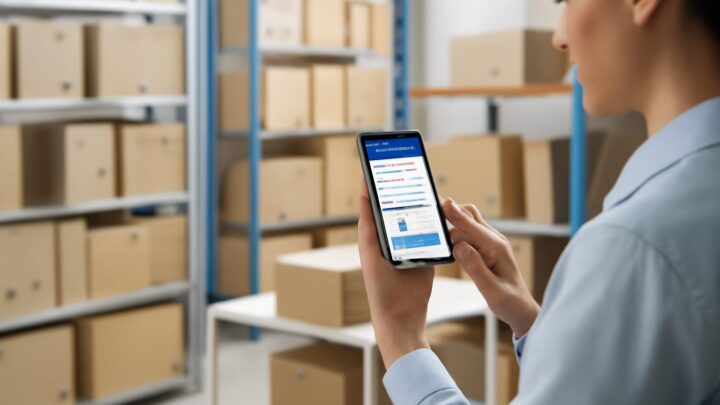
- Mobile scanning so phones work as scanners, lowering hardware cost.
- Scan-to-receive and scan-to-pick workflows that match against purchase and sales orders.
- Stocktake by scan for fast, accurate cycle counts and full counts.
- Real-time sync to your sales channels so scanned movements update every storefront.
- Batch, lot and expiry tracking where your products require it.
A worked example: receiving a delivery
A distributor receives a pallet of 480 units across 12 SKUs. Counting and keying by hand, a careful clerk might take 45 minutes and still mistype a quantity or two, producing a discrepancy that surfaces weeks later as a phantom stockout. With barcode software, the clerk scans each carton against the purchase order; the system flags any line that does not match the expected quantity on the spot. The same task takes perhaps 15 minutes, and the count is right the first time. Over a month of deliveries, the time saved and the errors avoided easily justify the modest hardware spend. The numbers here are illustrative, but the pattern is consistent: scanning is faster and more accurate than keying.
What barcode inventory software costs in 2026
Software ranges from around US$30–50 per month for entry tools to US$100–400 for mid-market systems with multi-location and channel sync; enterprise suites sit higher. WhiteBox starts from S$49 (about US$38) per month with unlimited users, includes barcode picking and packing, and offers a 14-day free trial. On hardware, a usable Bluetooth scanner can be found for well under S$100, and a thermal label printer for a modest one-off cost, though warehouse-grade kit costs more. Because WhiteBox supports phone-based scanning, many small teams start with zero new hardware.
Common mistakes with barcode inventory management software
- Inconsistent SKU structure. Barcodes only help if your SKUs are clean and unique before you print labels.
- Cheap labels in harsh conditions. Labels that smudge or peel in a freezer or humid store defeat the system.
- Scanning into a silo. If scans do not sync to your sales channels, you still oversell online.
- No bin-location barcodes. Labelling only items, not shelves, leaves picking slow and pickers guessing.
- Skipping staff training. A scan-and-confirm habit prevents the “scan everything twice” errors that erode trust in the count.
- Over-buying RFID too early. Most businesses get 90% of the benefit from simple barcodes first.
How to roll it out smoothly
Start by tidying your SKU list and assigning a barcode to every item that lacks one. Label your most-picked locations first. Train staff on the receive, pick and stocktake workflows using a small product range, then expand. Run a full barcode-driven stocktake to establish a clean baseline, and switch on real-time channel sync once your counts are trusted. A staged rollout beats a big-bang switch that overwhelms the team.
How WhiteBox helps
WhiteBox includes barcode picking and packing as standard, lets staff scan with a phone or a dedicated scanner, and syncs every scanned movement in real time across Shopify, Lazada, Shopee, Amazon and TikTok Shop. With multi-warehouse stock, transfers, a unified order queue, forecasting and an open API, your scans flow straight into accurate counts and reorder decisions. Pricing starts from S$49 per month with unlimited users, and most teams are live within an afternoon. See pricing or start a free trial to test it with your own labels.
Frequently asked questions
Do I need special hardware for barcode inventory management software? Not necessarily. Many systems, including WhiteBox, let a smartphone act as a scanner, so small teams can start with no new hardware and add dedicated scanners later as volume grows.
Can the software print barcodes for my products? Yes. Good barcode inventory management software generates and prints labels for both SKUs and shelf locations using a standard thermal label printer.
What is the difference between barcodes and RFID? Barcodes need line of sight and are cheap to print; RFID reads tags in bulk without line of sight but costs more per tag and reader. Most businesses start with barcodes and add RFID only for specific high-volume needs.
Will scanned stock updates reach my online stores? With real-time multi-channel software, yes. Every receive, pick or transfer updates your storefront and marketplaces within seconds, which prevents oversells.
How much does it cost to get started? Software starts from around S$49/month, and basic hardware like a Bluetooth scanner and thermal printer is inexpensive. With phone-based scanning you can begin with software alone.
Related reading: The inventory management guide, best inventory management software in Singapore, retail inventory management software and inventory management software for multiple locations.